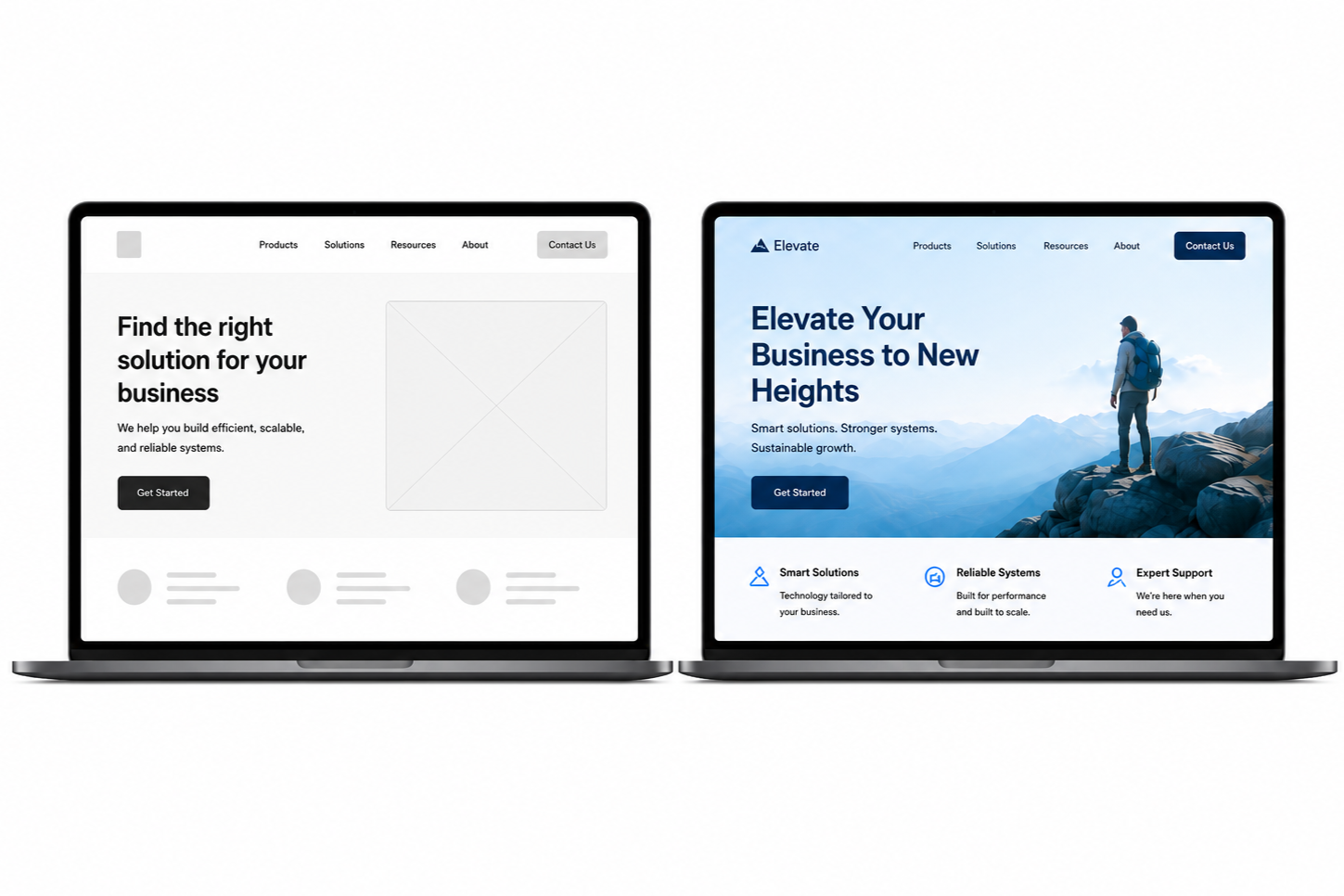
Some Website Problems Can't Be Solved With Visual Design Alone
While visual design plays an important role, appearance alone rarely determines how effectively a website performs.
A visually appealing website may still fail to support visitors. Low engagement or inconsistent inquiries often indicate user experience issues, not design flaws.
User experience (UX) addresses these challenges.
UX enables visitors to achieve their goals by improving information structure, navigation, and the clarity of key messages and next steps.
Visual Design and UX Solve Different Problems
Visual design and UX work together but address different aspects of the website experience. Recognizing this distinction helps teams solve the right problems, avoid unnecessary redesigns, and invest in changes that improve usability and business results.
Visual design focuses on appearance, including branding, colors, typography, and imagery. UX addresses the broader experience, such as content, navigation, accessibility, page structure, and how easily visitors complete key tasks.
When reviewing a website, useful questions include:
Can visitors quickly understand what the organization offers?
Is it clear who the product or service is for?
Can people easily find important information?
Is the next step obvious?
Does the experience work well on both desktop and mobile?
A polished website can still be difficult to use. If visitors cannot find what they need or understand the next steps, visual improvements alone may not resolve the core issue.
What This Looks Like in Practice
A common UX issue is a homepage that looks polished but does not clearly explain the business. Improving clarity can reduce early abandonment, help visitors recognize value, and increase the likelihood of action.
Visitors want to quickly understand your offering, who you serve, and whether your services are relevant. If this information is unclear, they have to spend extra effort finding it.
For example, a website may feature strong visuals and a memorable slogan but hide its services several pages deep. First-time visitors may leave before understanding the business’s offerings.
Fortunately, these problems don’t often require a full redesign. Small changes can make a significant difference:
Use a headline that clearly explains what you offer.
Add supporting text that gives visitors the context they need.
Make important information easy to find early.
Use a clear call to action so visitors know what to do next.
A better experience does not always require more pages or features. Clearer communication and stronger guidance are often enough to improve usability and business outcomes.
More Traffic Doesn't Solve User Experience Problems
SEO, advertising, and social media can increase website traffic, but more visitors do not guarantee more inquiries, sales, or conversions. Improving the experience for current visitors helps organizations gain more value from existing traffic.
Once visitors arrive, they still need to quickly understand your offering, who it is for, and what to do next.
If this information is unclear or hard to find, increasing traffic may only expose more visitors to the same issues.
Often, the better opportunity is to improve the experience for current visitors. When they quickly understand your offering and what to do next, they are more likely to engage and take action.
Before You Invest in a Redesign
When a website underperforms, a redesign may seem like the next step. However, identifying underlying UX issues first helps avoid unnecessary costs, prioritize improvements, and invest in changes more likely to improve performance.
Start by asking:
Can visitors quickly understand what you offer?
Can they easily find important information?
Is it clear what they should do next?
Where are they getting confused or stuck?
Significant improvements often result from small changes to messaging, navigation, content organization, or calls to action. In some cases, structural issues may require a redesign.
Understanding the problem first enables better investment decisions and helps focus resources on changes most likely to improve visitor experience and business outcomes.
UX and Visual Design Work Best Together
Visual design and UX work best together. Together, they create a website that looks professional, helps visitors understand your offering, find what they need, and take action, improving usability and business performance.
Visual design reflects your brand, communicates professionalism, and makes content more engaging. UX ensures the website is well organized, easy to navigate, accessible, and simple to use.
A website can look great yet still confuse visitors. Conversely, it can be easy to use but feel less polished if the visual design does not support the experience.
The strongest websites combine both. They help visitors quickly understand your offering, find what they need, and know what to do next.
If your website looks professional but does not deliver expected results, the issue may go beyond visual design. A UX review can identify where visitors get stuck and where clearer messaging, navigation, or structure could improve the experience.
Next Steps
If your website looks polished but isn't driving the engagement or conversions you want, the problem may go beyond visual design.
Fegan Consulting identifies UX issues in messaging, navigation, content structure, mobile usability, accessibility, and calls to action that may be causing friction.
A comprehensive UX audit reveals what is working, where visitors encounter obstacles, and which improvements to prioritize.
Contact Fegan Consulting to discuss a UX audit and explore how to enhance your website’s usability and overall experience.