
Better digital experiences Without unnecessary complexity
From initial launch to ongoing growth, Fegan Consulting helps you elevate your website, maximize performance, and eliminate user confusion with expert UX reviews and practical resources.

Turn Traffic Into Customers
Align your website with your marketing efforts to maximize conversions and drive revenue.

Eliminate The Guesswork
Stop wondering what's broken. Get a clear understanding of why users are getting stuck.

Guide User Action
Ensure visitors can seamlessly navigate your website and engage with your content.

Save Time & Budget
Identify high-impact optimizations rather than jumping into a costly website overhaul.
How Fegan Consulting Can Help

Get Clear direction, tailored to your budget
Whether you're looking for expert UX guidance or practical resources to improve your website yourself, we provide thoughtful, actionable support designed to help you make better website decisions with confidence.
Expert UX Reviews
Identify usability issues before they frustrate visitors or reduce conversions.
Receive prioritized, actionable recommendations based on proven UX best practices.
Make more confident website decisions without committing to a costly redesign.
Self-Guided UX Resources
Discover practical UX improvements before they become bigger website problems.
Follow expert-created resources that turn UX best practices into clear, actionable steps.
Make more confident website decisions with practical guidance you can use anytime.
Expert UX Reviews
a Simple Review process with Actionable results
Step 1: Discover
We align on your goals, target audience, and core business challenges so the review focuses on the areas that matter most and every recommendation supports your objectives.
Step 2: Evaluate
I analyze your website through an expert, accessibility-conscious UX lens, identifying usability issues, friction points, and opportunities to improve the overall experience.
Step 3: Recommend
You receive clear, prioritized recommendations with practical next steps that help you improve usability, engagement, and confidence in your website.
Step 4: Advise (Optional)
As you move forward with the insights, documentation, and resources needed to implement improvements, an ongoing UX advisory provides strategic guidance through design reviews, feature feedback, performance discussions, and continuous optimization to support long-term success.
About Fegan Consulting

I’m Kelly Williams, a UX strategist specializing in turning complex websites into intuitive, high-performing digital experiences.
I’ve helped businesses of all sizes improve how their websites communicate, guide, and support users. My approach is built on two decades of analyzing user behavior patterns and knowing exactly how to reduce friction.
“Kelly was an invaluable resource as we developed our website. She provided thoughtful feedback and a fresh perspective that helped us make meaningful improvements to both the design and functionality of the site. Her guidance helped us better understand how visitors interact with our website and how to create a smoother path from initial interest to becoming a client.
Beyond her expertise, Kelly was generous with her time, approachable, and always willing to answer questions. We truly appreciated her support and would highly recommend her to anyone looking for strategic UX guidance.”
— Coker Manelis, Co-Owner of Peony & Orange Blossom Designs
Self-Guided UX Resources
Improve your website's usability, messaging, and user experience with practical, expert-created resources you can apply immediately.
Optimize your website on your own schedule
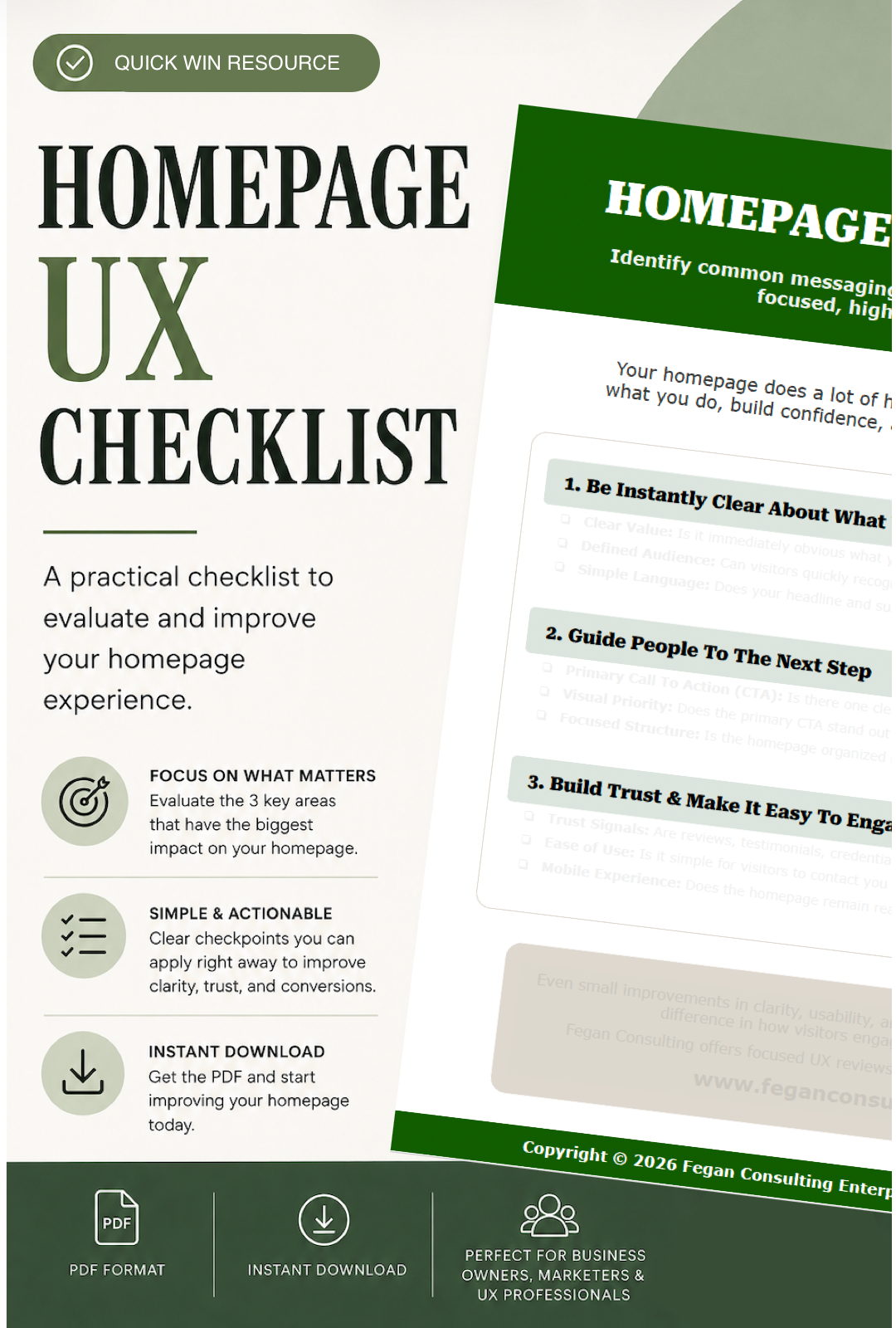
Your homepage has a lot of work to do. It needs to quickly explain what you do, build confidence, and guide visitors toward the next step. If visitors are hesitating, leaving, or not taking action, this checklist will help you understand where friction may exist, and what to improve first.
Unlike generic website checklists filled with technical jargon or overwhelming recommendations, this resource focuses on the areas that most directly impact how visitors understand and engage with your website. The checklist is intentionally simple and actionable, designed to help you make meaningful improvements without requiring a full redesign or UX background.
Inside, you’ll evaluate whether your homepage:
Clearly communicates what your business offers
Guides visitors toward a clear next step
Builds trust and credibility
Feels easy to scan and navigate
Works well across desktop and mobile experiences
What Makes This Checklist Different
Built from real UX strategy and conversion-focused principles
Designed specifically for homepage clarity and usability
Focused on practical improvements, not overwhelming theory
Structured to help you identify friction quickly
Simple enough to complete in under 30 minutes
Reusable for future homepage updates and optimization
What You’ll Get
A professionally designed Homepage UX Checklist (PDF)
3 focused review categories with actionable evaluation prompts
9 guided UX checkpoints covering messaging, structure, CTAs, trust, and usability
A simple framework to identify opportunities for improvement
Instant digital download
Whether you’re a business owner, marketer, consultant, or designer, this checklist provides a clear, structured way to assess your homepage and make focused, high-impact improvements right away.
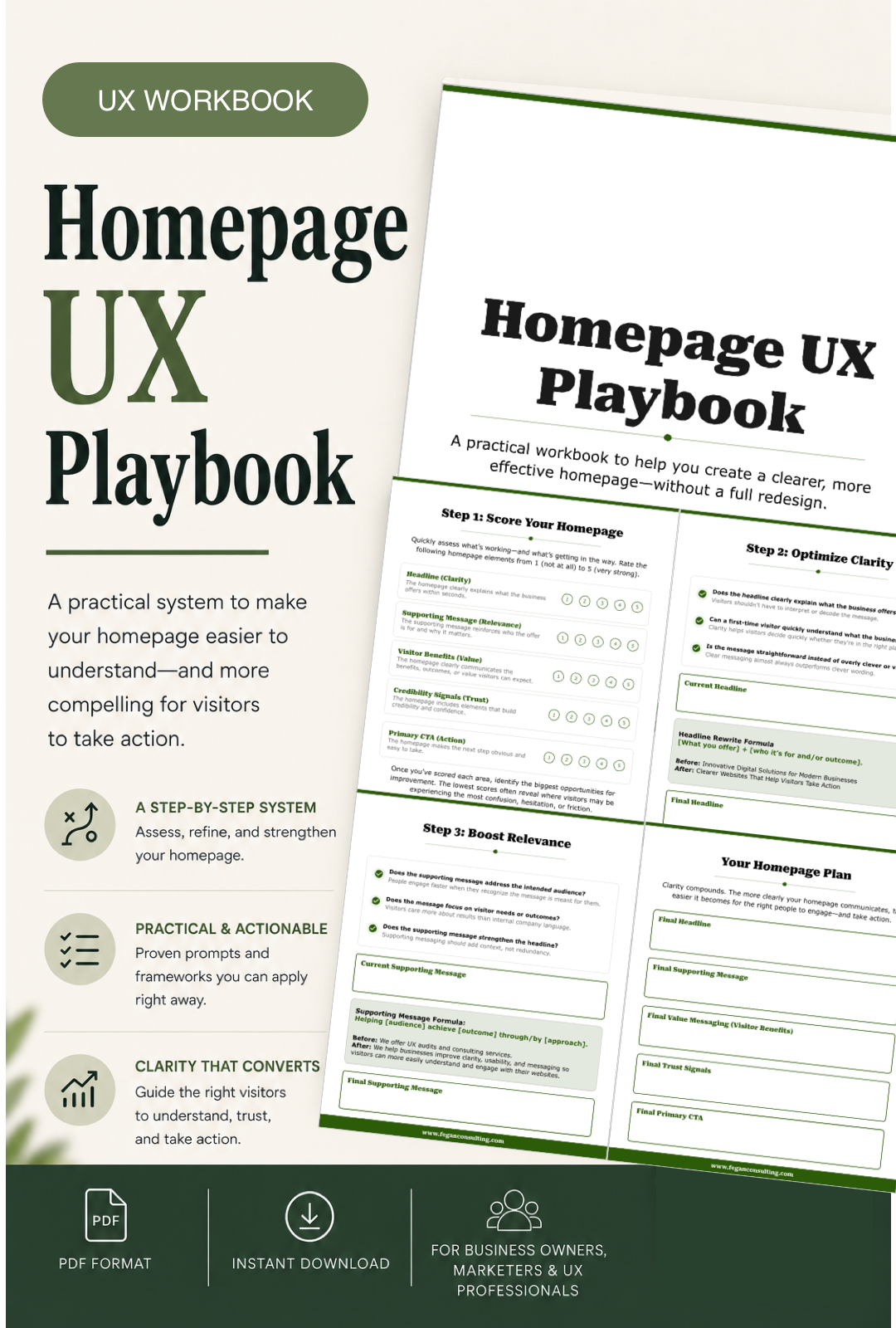
A homepage can look polished and still leave visitors unsure of what your business offers, who it’s for, or what to do next.
The Homepage UX Playbook Workbook helps you evaluate and improve the parts of your homepage that most directly impact usability, trust, and conversions, without needing a full redesign or advanced UX experience.
Instead of relying on guesswork, trends, or generic advice, this workbook walks you through a structured process designed to help you create a clearer, more intuitive experience for your visitors.
Whether you’re a business owner, marketer, designer, or consultant, this workbook gives you practical exercises, frameworks, and guidance you can apply immediately to improve how your homepage communicates and performs.
What You’ll Learn
How to assess your homepage from a user experience perspective
How to improve clarity so visitors quickly understand what you offer
How to structure homepage content more effectively
How to strengthen headlines and supporting messaging
How to create clearer, more actionable calls-to-action
How to identify friction, hesitation, and usability issues
How to prioritize improvements without redesigning everything
What’s Included
A guided digital workbook (PDF)
Step-by-step UX exercises and evaluations
Homepage scoring and assessment frameworks
Messaging and headline exercises
CTA and content structure guidance
Practical recommendations designed for real-world websites
Reusable worksheets you can revisit as your website evolves
Who It’s For
Small business owners
Consultants and service providers
Marketers and content creators
Designers and freelancers
Anyone looking to improve homepage clarity and conversions
Let’s Work Together
If you’d like to explore working together, please complete the form with a few details about your project. I will review your message and get back to you within two business days.