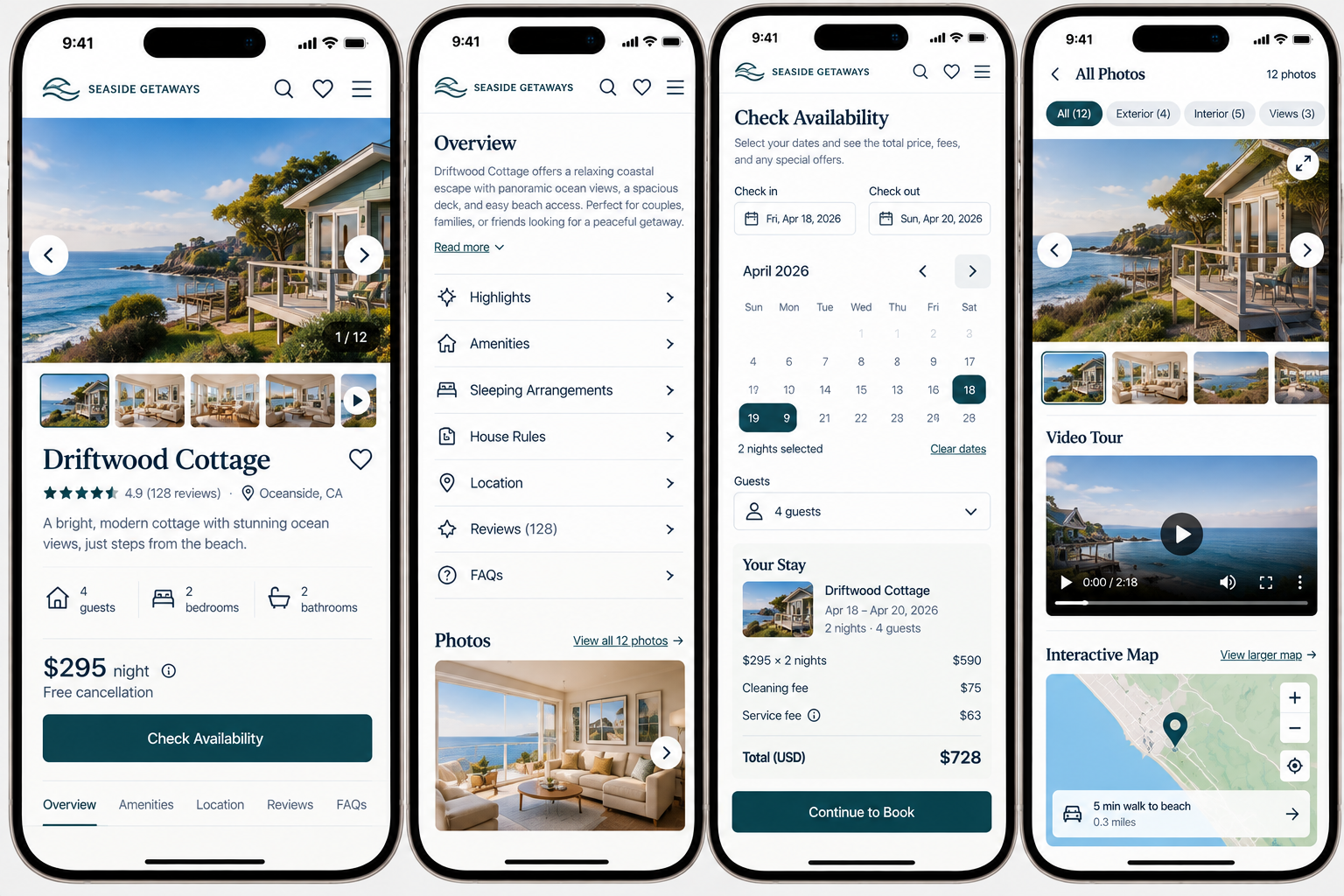
Mobile Usability and Interaction
Is important content readable and easy to scan, with touch-friendly controls, media, and interactions that work naturally on a small screen?
A website can technically work on a phone without being particularly easy to use on one. You might find that while everything technically fits on the screen, the text is hard to read, links are crowded, and buttons are tough to tap. Sometimes it's not clear what you can interact with, content shifts around, or an overlay covers most of the page.
These issues usually show up when a desktop site is just squeezed onto a smaller screen, instead of being designed for how people actually use their phones. People visiting your site on a phone need to be able to read, tap, scroll, and interact comfortably with just their fingers.
Your mobile website should help visitors:
Recognize what’s interactive
Use media and other touch-based interactions predictably
Understand what changed after they make a selection
Read and use the website comfortably across different mobile screens
1. Clearly indicate when additional content or interaction is available
UX Check: Can mobile visitors recognize when something can be tapped, expanded, swiped, or otherwise interacted with?
Mobile interfaces often use accordions, tabs, carousels, galleries, and other interactions to conserve space. Make it clear when additional content or actions are available.
Use recognizable controls, descriptive labels, and visual cues such as Show all specifications, Read more, or View 8 photos. If content extends beyond the screen, provide cues that more is available.
The key is making sure visitors don't miss valuable content just because the interface didn't make it clear.
2. Make touch-based media easy and predictable to use
UX Check: Can visitors comfortably use images, videos, galleries, maps, and other media with touch?
Interactions designed for a mouse don’t always work well on a touchscreen. Galleries, videos, maps, and other interactive media should be easy to control without interfering with scrolling or triggering unintended actions.
Use touch-friendly controls and predictable gestures, and make expanded media easy to open and close. Visitors shouldn’t have to discover unfamiliar gestures or worry that a swipe or tap will do something unexpected.
Touch interactions should feel straightforward and familiar, not something that requires trial and error.
3. Keep selections and their results close together
UX Check: When visitors make a selection, can they easily see what changed as a result?
On mobile, a selection and its result can easily end up several screens apart. Keep related information close together whenever possible.
If a selection changes the price, availability, image, delivery details, available times, or other information, show the change near the control that caused it. This is especially important for errors or unavailable options.
Visitors should be able to see the result of their actions without searching the page.
The interface should maintain a visible connection between what I selected and what happened as a result.
4. Maintain a readable, responsive, stable, and efficient mobile experience
UX Check: Can people read and use your site on a phone without needing to zoom, aim carefully, wait for things to load, or deal with content that moves unexpectedly?
Mobile pages should remain readable, responsive, stable, and easy to use across different screen sizes and orientations.
Use readable text, touch-friendly controls with enough spacing, and layouts that don’t require horizontal scrolling. Avoid unexpected layout shifts, intrusive overlays, and too many sticky elements that reduce the usable screen area.
Keep pages efficient as well. Large images, excessive scripts, and heavy interactions can make the experience slower and harder to use on mobile devices.
A good mobile experience should feel natural to use, not like a desktop site squeezed into a small screen.
Design for a touchscreen, not just a smaller screen
Making a website responsive is only part of making it usable on mobile. Visitors still need to interact with it.
Make interactive content recognizable. Design media and controls around touch. Keep selections close to the results they affect. And make sure the overall experience remains readable, responsive, stable, and comfortable to use.
People using your site on a phone shouldn't have to aim carefully, keep zooming in and out, search for what changed, or guess how things work.
Your website should feel like it was built for a phone, not just shrunk down to fit.
Review your website experience
Your homepage is just one part of the experience visitors have with your website.
The Website Experience Snapshot is a free resource that helps you evaluate across nine areas of your website—from your homepage and navigation to conversion, mobile, accessibility, and the overall site experience. Use it to spot where visitors may be running into friction and where improvements could make the biggest difference.