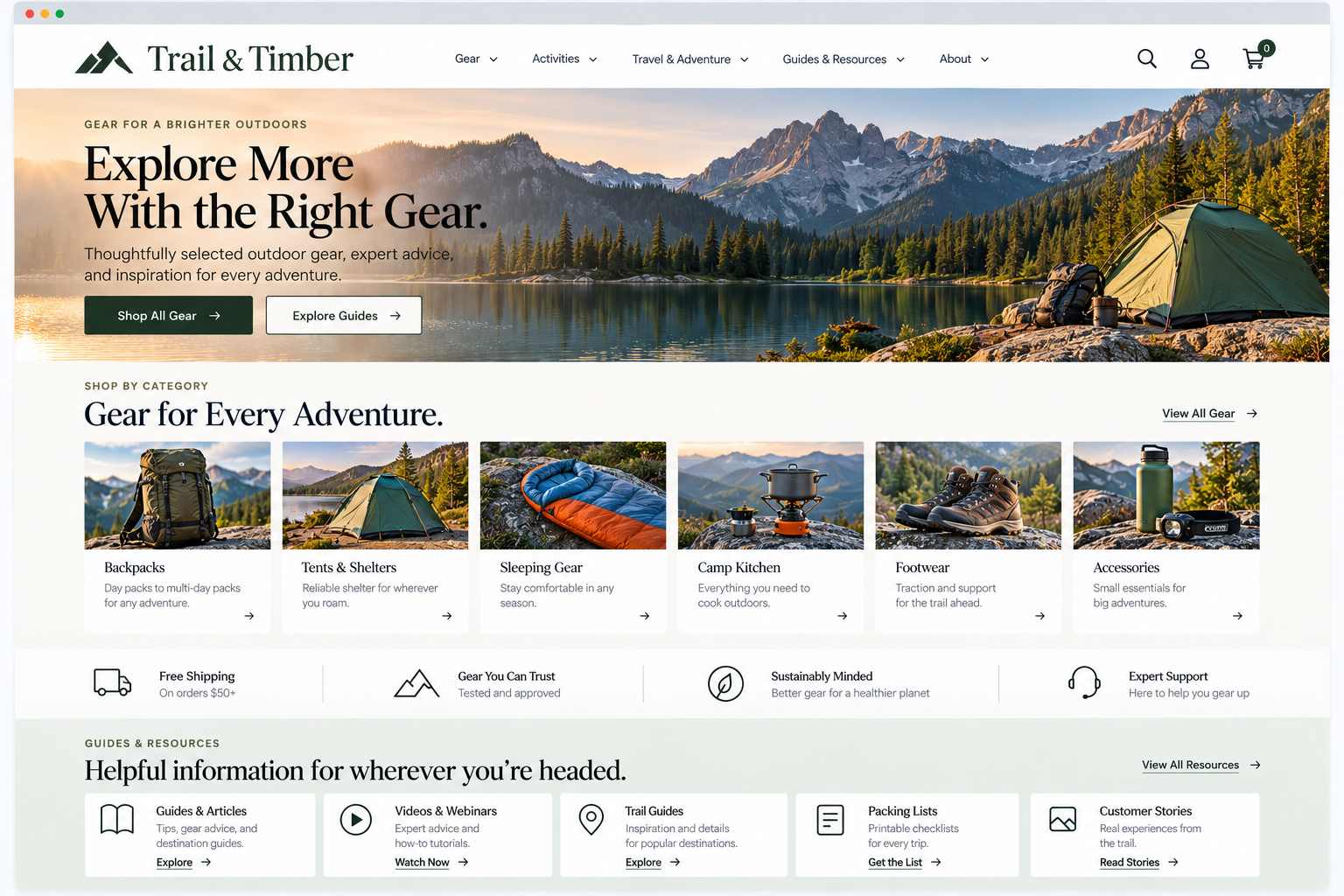
Website Organization
Does the way your website is organized make sense to visitors who don’t already know how your business works?
A website can contain all the information visitors need and still make that information hard to find. Often, the issue is how the website is organized.
When a website reflects how visitors think about its products, services, topics, or tasks, people can more easily understand what is available and where to find it.
If the structure follows internal departments, business terms, or years of content added without a plan, visitors end up trying to decode how your organization thinks before they can find what they need.
Your website should make it easy for visitors to understand:
How is the website organized?
Which information belongs together?
Where would I expect to find what I need?
What are the main offerings vs. supporting information?
1. Organize The website around visitor expectations
UX Check: Does the way our website is organized make sense to visitors who don’t already know how our business works?
Your website might be organized in a way that works for your team, but most visitors are not familiar with your internal terms or how your business is set up.
Instead, group your content by the services you offer, the needs you address, or the audiences you serve. This helps people find what matters to them without extra effort.
The best way to organize depends on your business. For an online store, use clear product categories. For healthcare, focus on services. For nonprofits, highlight programs and resources.
2. Use a clear hierarchy appropriate to the website’s complexity
UX Check: Can visitors understand the major sections of the website without sorting through unnecessary levels of information?
Match your website’s hierarchy to the complexity of its content. Smaller sites may need only a few broad sections, while larger sites often need categories and subcategories to keep information manageable.
Too little structure can overwhelm visitors with options, while too much can bury important content.
Use enough hierarchy to make information easy to navigate without adding unnecessary levels.
3. Group related information into clear, meaningful categories
UX Check: Are related products, services, topics, or resources grouped in ways visitors can easily understand?
Categories help visitors understand and navigate information when the items within them clearly belong together.
Use meaningful, distinct categories that help visitors predict where they’ll find something.
Avoid vague labels or overlapping groups that create uncertainty about which path to take. Good categories reduce guesswork.
4. Place content where visitors expect to find it
UX Check: Would visitors look for important information in the same place we’ve put it?
Visitors bring expectations from other websites about where information should be. When content appears in an unexpected place, it can be difficult to find even when it exists.
Place important information where visitors are most likely to look, and consider making it accessible from multiple places when visitors may approach it through different paths.
Your website structure should reduce guesswork
When a website is well organized, visitors rarely notice the structure. Visitors don’t need to understand your information architecture. They just need to move through your site without stopping to figure out where things belong.
Organize your website around what visitors expect. Match your hierarchy to your content’s complexity. Create clear categories. Put information where people are likely to look. Make your primary offerings easy to spot among supporting content.
When your structure makes sense, visitors spend less time figuring out your website and more time getting what they need.
Review your website experience
Website organization is only one part of the overall experience visitors have on your site.
The Website Experience Snapshot is a free resource that helps you evaluate nine areas of your website—from your homepage and navigation to conversion, mobile, accessibility, and the overall site experience. Use it to spot where visitors may be running into friction and where improvements could make the biggest difference.