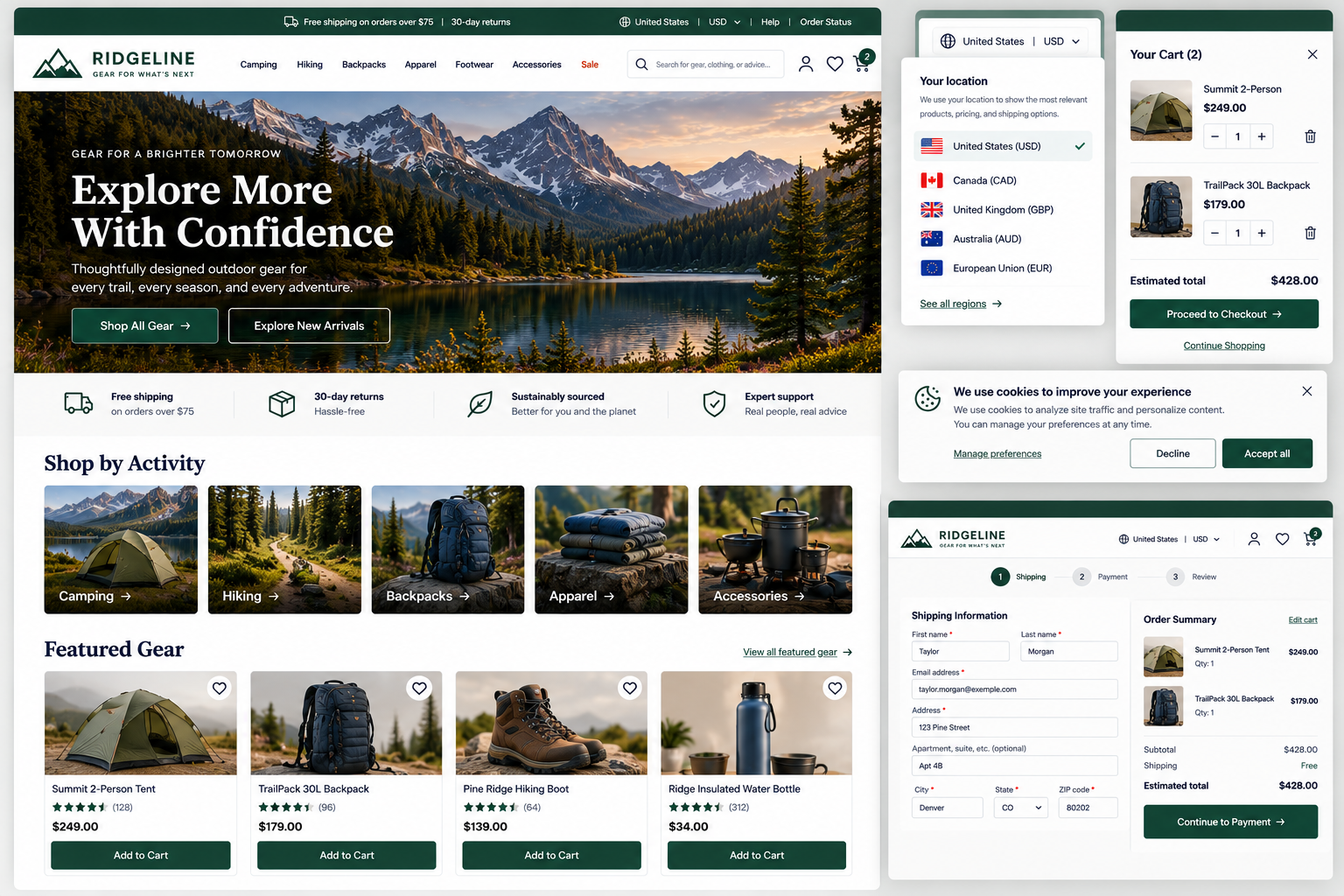
Website Consistency and Predictability
Can visitors rely on familiar patterns, predictable behavior, and minimal interruptions as they move throughout the website?
Visitors learn how your website works as they use it. They learn what your buttons look like, where navigation appears, what certain labels mean, how forms behave, and what happens when they interact with different controls.
That learning only helps if the rules stay consistent.
When the same action looks or behaves differently from page to page, visitors have to pause and work out what to do next. This also happens when terminology shifts, familiar patterns are swapped for unusual ones, or messages and overlays keep interrupting their progress.
A consistent website should help visitors answer:
Does this work the same way it did on the last page?
Can I recognize what’s interactive?
Can I rely on familiar website patterns?
Will settings and site-wide messages behave in ways I understand?
1. Maintain consistent design, interaction patterns, and terminology
UX Check: Do similar elements look, behave, and communicate consistently throughout the website?
Use consistent visual patterns, interactions, and terminology so visitors don’t have to relearn how the website works from page to page.
Similar elements—such as buttons, links, forms, cards, menus, and accordions—should generally look and behave in similar ways. Use consistent terms for the same concepts and actions unless there’s a meaningful difference.
Different pages can have different layouts, but the overall experience should still feel like one website.
2. Follow familiar web conventions and make interactive elements recognizable
UX Check: Does the website generally behave the way visitors expect a website to behave?
Visitors bring expectations from other websites about how common elements look and behave. Follow familiar conventions unless there’s a clear reason to do something differently.
Make buttons, links, icons, expandable content, and other interactive elements easy to recognize and ensure their behavior matches what visitors expect. Avoid hiding important interactions behind unexplained hovering, swiping, or clicking.
Creativity can support the experience without making basic website behavior harder to understand.
3. Use global messages and overlays selectively without obstructing important tasks
UX Check: Do site-wide messages, banners, popups, and overlays provide useful information without repeatedly interrupting visitors?
Site-wide messages such as promotional banners, cookie notices, popups, and chat invitations can quickly overwhelm visitors when several appear at once.
Use global messages selectively and consider whether they need to interrupt visitors, appear on every page, or reappear after being dismissed. Make overlays easy to close when appropriate.
Be especially careful during important tasks like checkout, booking, or applications. Global communication should provide useful information without competing with the content or becoming an obstacle.
4. Make regional settings and conventions understandable and manageable
UX Check: If our website serves visitors in different locations or regions, can they understand and manage the settings that affect their experience?
When location affects language, currency, pricing, availability, shipping, dates, time zones, or other information, make the website’s current setting clear so visitors don’t have to guess.
Automatic detection can be helpful, but allow visitors to review and change relevant settings when appropriate, and preserve their choices as they move through the website.
If changing a region or other setting affects important information such as price or availability, clearly communicate what changed.
Reduce the amount visitors have to relearn
Consistency makes a website easier to use because visitors can build on what they’ve already learned. Once they understand how a button, menu, or other feature works, they should be able to apply that understanding elsewhere on the site.
Keep design patterns, interactions, and terminology consistent. Use familiar website conventions when they support understanding, keep site-wide messages from getting in the way, and make regional settings clear when they affect the experience.
The goal isn’t to make every page identical. It’s to create a connected experience with patterns visitors can recognize and rely on.
Review your website experience
Your homepage is just one part of the experience visitors have with your website.
The Website Experience Snapshot is a free resource that helps you evaluate across nine areas of your website—from your homepage and navigation to conversion, mobile, accessibility, and the overall site experience. Use it to spot where visitors may be running into friction and where improvements could make the biggest difference.