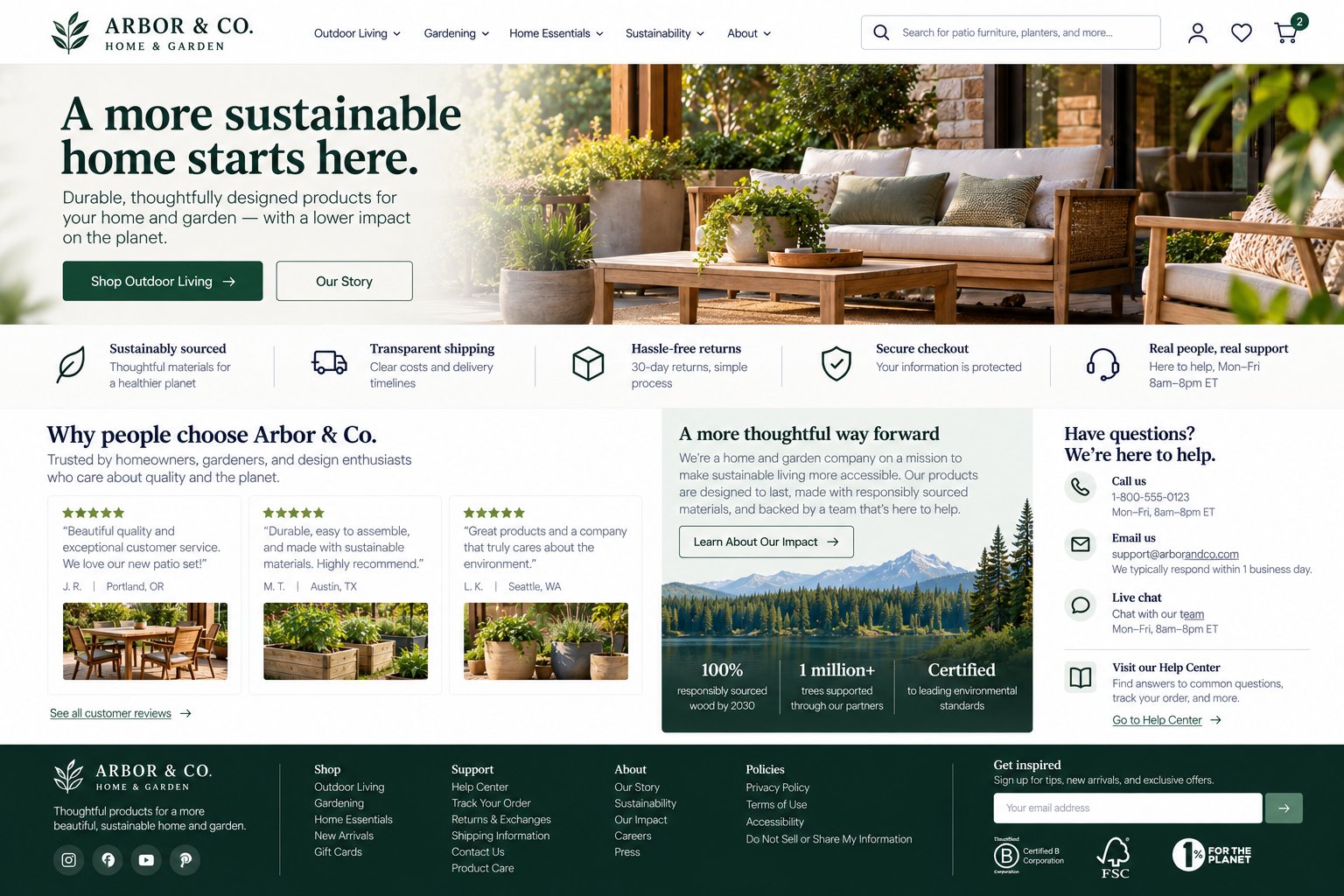
Building Trust Through Your Website
Can visitors easily understand who is behind the website, find help, manage relevant settings, and make informed decisions without misleading or pressuring experiences?
Visitors make judgments about your organization while they use your website. Some of those judgments are obvious.
Does this business look legitimate? Can I find a way to contact someone? Are these reviews believable?
Others develop through the experience itself.
Are important costs disclosed? Can I understand what I’m agreeing to? Does the website make it easy to get help? Are privacy choices understandable? Does anything seem designed to push me into a decision I might not otherwise make?
A polished design helps with first impressions. Lasting trust comes from what your website communicates and how it treats visitors.
Your website should help visitors answer:
Who is behind this website, and can I reach them?
How will my information be handled?
Can I trust the claims I’m being shown?
Is the website helping me make a decision rather than pushing me into one?
If I need help, do I know what to expect?
1. Make the organization’s identity, contact options, and help easy to find
UX Check: Can visitors easily understand who is behind the website and how to reach us if they need to?
Make it easy for visitors to understand who they’re dealing with. Clearly identify the organization and provide relevant information such as an About page, location, service area, leadership, or credentials when appropriate.
Offer contact and support options that fit the business, such as phone, email, chat, locations, or a help center, and make them easy to find.
Contact information is especially important when visitors are considering a significant purchase, sharing sensitive information, or making another important commitment.
2. Communicate privacy and security practices appropriately
UX Check: Do visitors understand how their information is being used and the choices available to them when it matters?
Provide relevant privacy and security information where visitors need it, especially when asking them to create an account, share personal or sensitive information, or make privacy-related choices.
Explain data use and available preferences in understandable language, and avoid vague or unsupported claims such as 100% secure. Make privacy and communication preferences easy to manage and change later.
The goal is to give visitors appropriate information and control without overwhelming them with unnecessary technical detail.
3. Avoid manipulative or misleading interface patterns
UX Check: Does our website help visitors make intentional choices rather than steering them through misleading or unnecessarily difficult interactions?
Websites can encourage visitors to take action without making other choices difficult to find, understand, or select.
Avoid preselected purchases, hidden costs, artificial urgency, confusing language, disguised advertising, or processes that make declining or canceling unnecessarily difficult. Present choices clearly and give visitors meaningful control over their decisions.
Persuasion can communicate the benefits of an action without tricking, shaming, confusing, or pressuring visitors.
4. Substantiate important claims and social proof
UX Check: When we make an important claim, do we give visitors a reasonable basis for believing it?
Strong or specific claims should have a credible basis. Provide appropriate context for statistics, awards, certifications, research, testing, results, and other claims that could influence a visitor’s decision.
Make social proof meaningful as well. Testimonials, reviews, and case studies should provide enough context to understand who the feedback came from or what contributed to the result.
Not every claim needs detailed documentation, but important claims should be accurate, supportable, and presented in a way that doesn’t create a misleading impression.
5. Set clear expectations for support and response
UX Check: Do visitors know what kind of help is available and when they can reasonably expect a response?
Help visitors understand what happens after they contact you. Provide accurate information about response times, support hours, and which contact channels to use when appropriate.
After someone submits a request, confirm that it was received and remind them when they can expect a response.
Setting expectations doesn’t require offering immediate support. It means clearly communicating the level of support you actually provide.
6. Use the footer to support navigation, trust, and access to secondary information
UX Check: Does our footer help visitors find important information they may look for after reaching the end of a page?
Visitors often use the footer to find secondary information such as contact details, help, company information, policies, locations, account access, or regional settings.
Include the information most relevant to your website, organize larger footers into meaningful groups, and use clear labels. Avoid turning the footer into a directory of every page.
The footer shouldn’t replace primary navigation, but it can provide a useful final checkpoint for visitors looking for information, support, or reassurance.
Make trust part of the experience
Trust isn’t created by a testimonial section or security badge alone. It develops throughout the website experience.
Make it clear who visitors are dealing with and how they can reach you. Communicate privacy and security practices appropriately, support important claims with credible evidence, set clear expectations for support, and make important secondary information easy to find. Avoid patterns that pressure or mislead visitors as they make decisions.
The goal isn’t to prove that your organization is perfect. It’s to provide enough transparency and information for visitors to make informed decisions with confidence.
Review your website experience
Your homepage is just one part of the experience visitors have with your website.
The Website Experience Snapshot is a free resource that helps you evaluate across nine areas of your website—from your homepage and navigation to conversion, mobile, accessibility, and the overall site experience. Use it to spot where visitors may be running into friction and where improvements could make the biggest difference.